Short stories
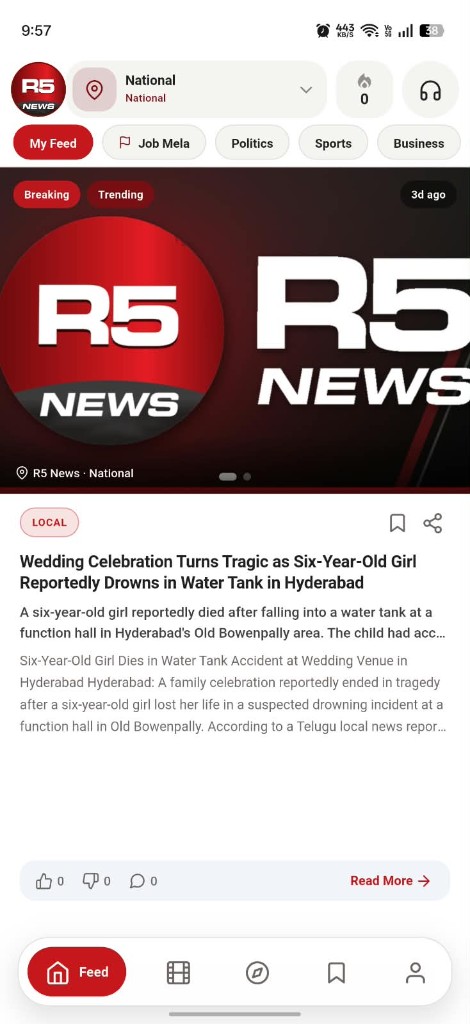
Read a story in the feed. Like it, dislike it, comment, share, or save it. Read more opens the fuller piece.
Hyperlocal short news
R5 News is a hyperlocal short-news app. Set your area, follow the topics you care about, and read stories or watch reels. Choose English, Telugu, or Hindi on your profile.
Topics include Politics, Sports, Business, Tech, Health, Entertainment, Jobs, Weather, and Local.
What is R5 News
R5 News is a mobile app for short, hyperlocal news. You choose an area. You choose your interests. The app gives you a feed of stories and reels, with English, Telugu, or Hindi on your profile.

Read a story in the feed. Like it, dislike it, comment, share, or save it. Read more opens the fuller piece.
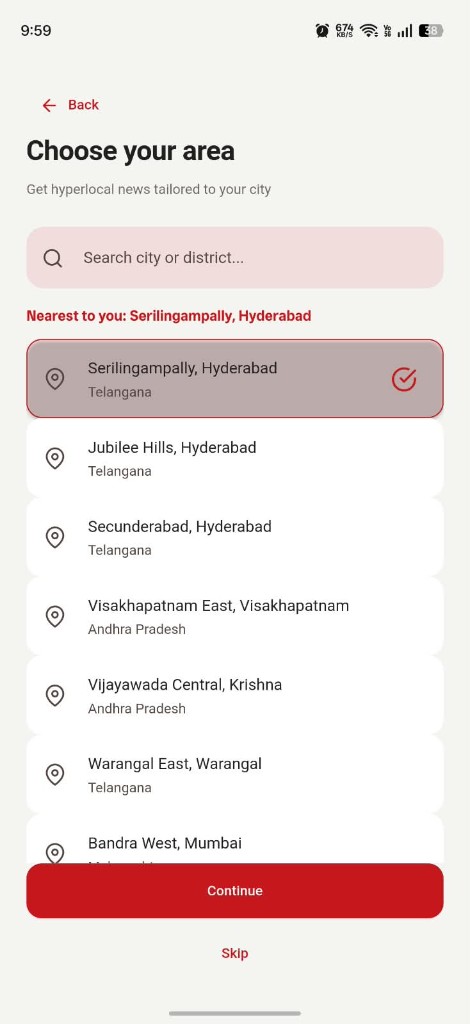
Search a city or district, start from the place nearest to you, or switch the feed to National.
Nine interests shape the feed. Change them later from your profile, along with language, theme, and text size.
Languages
Your profile has a language control with three choices: English, తెలుగు, and हिंदी. The one you pick is marked in red, the same way the app shows English selected.
Short news from the place you live.
Switch any time from Preferences on your profile.
Interests
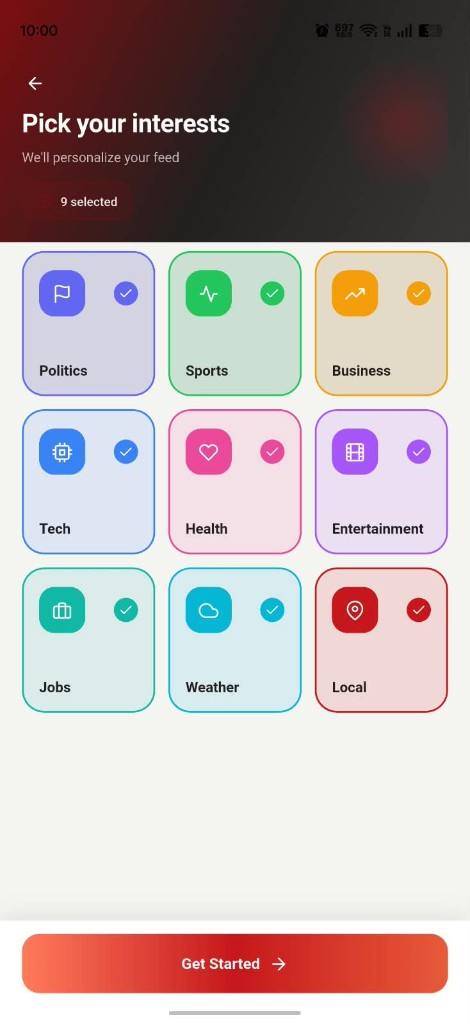
The app asks you to choose at least one topic. Politics, Sports, Business, Tech, Health, Entertainment, Jobs, Weather, and Local. That choice is how R5 personalizes your feed. You can reopen it later — the profile lists your news interests as categories.
Choose at least one topic
Features
Each part below is on the R5 News app: the place you read, the topics you follow, the feed, reels, saved stories, and the profile that holds it together.
Choose your area, search a city or district, and continue. Skip if you want. The feed can sit on a neighbourhood, a city, or National.
Politics, Sports, Business, Tech, Health, Entertainment, Jobs, Weather, and Local. Pick at least one. The profile keeps the count of categories you follow.
Tabs such as My Feed, Job Mela, Politics, Sports, and Business. Stories can be marked Breaking or Trending.
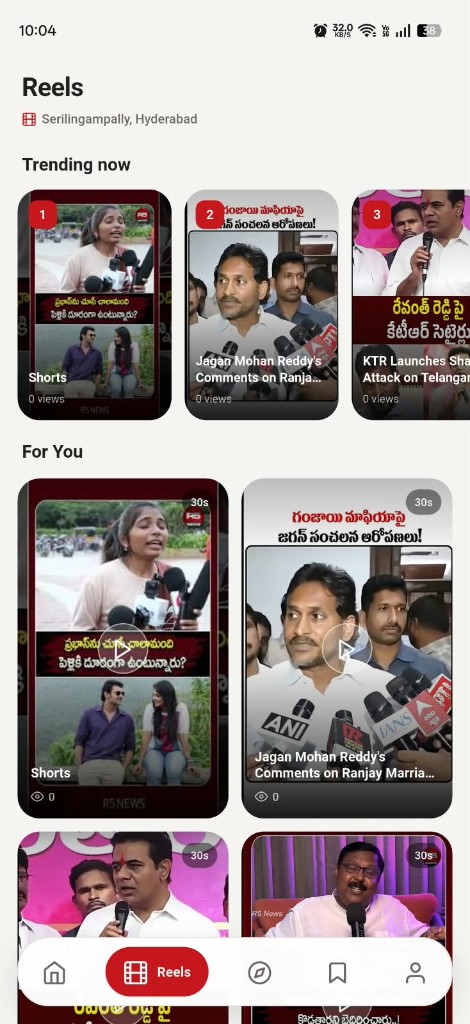
Short videos for the area you selected. Trending now is numbered. For You sits underneath. Clips are marked 30s.
Bookmark a story and open Saved later. You get a count, a featured story, and a recently saved list with the source.
Saved, likes, and a streak. Language, interests, light or dark or system theme, location, notifications, and article text size.
The app
Every screen, in order. Start with a place, choose topics, then read, watch, save, and set your profile.
01
Search a city or district, start from the place nearest to you, or skip.
02
Choose at least one topic. Each selected card shows its own colour and a check.
03
My Feed, Job Mela, Politics, Sports, and Business. Like, save, or open Read more.
04
Trending now is numbered. For You sits underneath. Each clip is marked 30s.
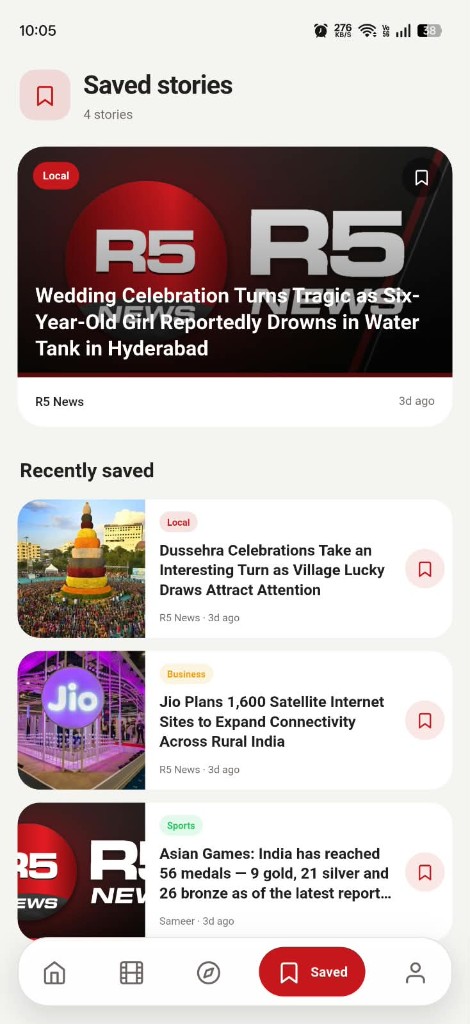
05
A count, one featured story, and a recently saved list with the source.
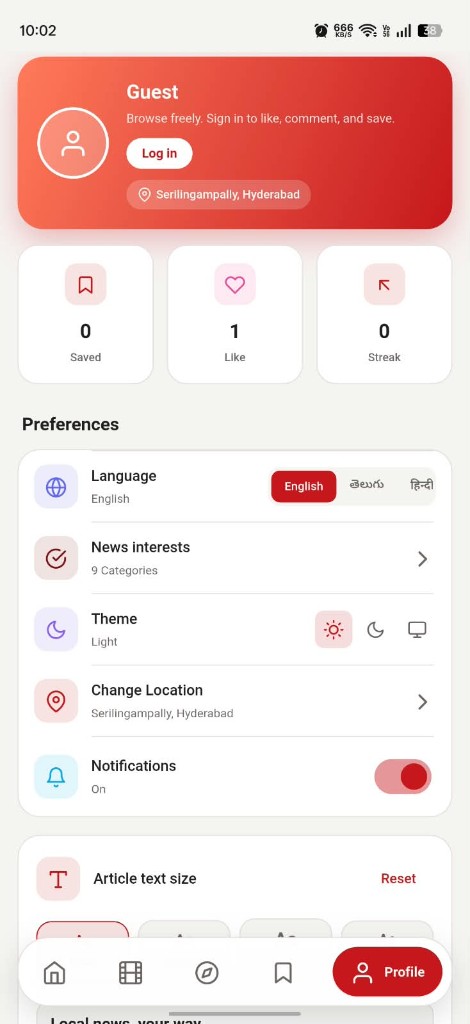
06
Language, interests, theme, location, notifications, and article text size.
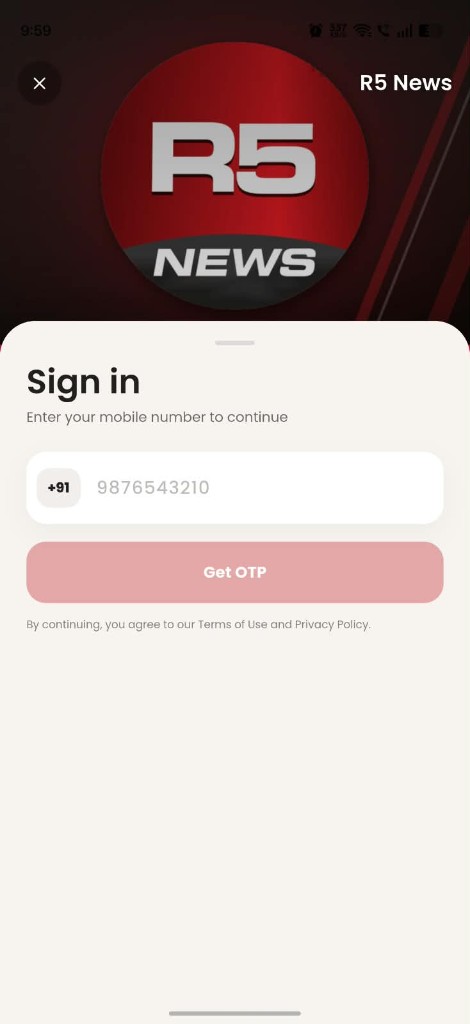
Sign in
The profile puts it plainly: browse freely, and sign in to like, comment, and save. You can close the sign-in sheet and keep reading.
Download
Install the app from Google Play or the App Store. Each button opens that store so you can download R5 News.
A hyperlocal short-news app. Your area, your interests, and your language — stories to read and reels to watch.
Tour the app